The All-in-One Platform for High-Performing Teams
Manage projects, track tasks, collaborate in real-time, and boost productivity—all in one beautiful interface.
No credit card required
30-days free trial
Setup in 2 minutes
Everything You Need
to Succeed
Powerful features designed for teams that want to move fast without compromising on quality
Built for Modern Teams
Designed with modern work practices in mind. Real-time collaboration, flexible workflows, and intuitive interface help teams stay productive.
Start Free, Scale as You Grow
Begin with our generous free plan (10 users, unlimited teams and projects, 200MB storage). Upgrade only when your team is ready for more.
Security & Privacy First
Your data is encrypted at rest and in transit. GDPR compliant with role-based access control to keep your information secure.
Fast & Reliable
Built on Google Cloud Platform infrastructure. Real-time updates, automatic backups, and 99.9% uptime target ensure your work is always accessible.
Get Started in 3 Simple Steps
From signup to full productivity in minutes
Create Your Workspace
Sign up in seconds and set up your workspace. Invite your team members and configure your first project.
Build Your Teams
Organize your workspace into teams. Assign roles, set permissions, and create project-specific groups.
Start Managing Tasks
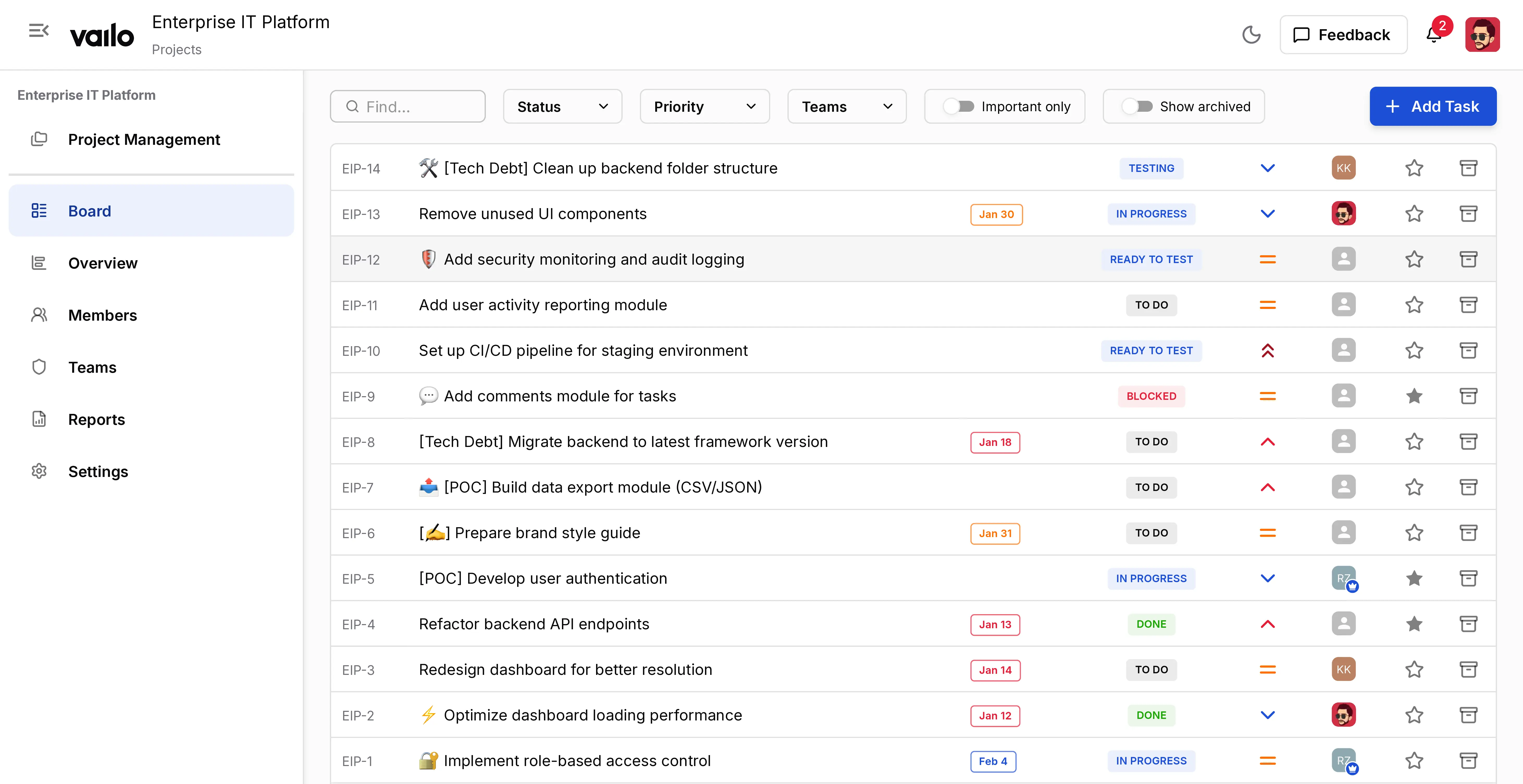
Create tasks, set priorities, assign team members, and track progress in real-time with our intuitive board.
Everything You Need to Succeed
Powerful features designed to streamline your workflow and boost team productivity
Advanced Task Management
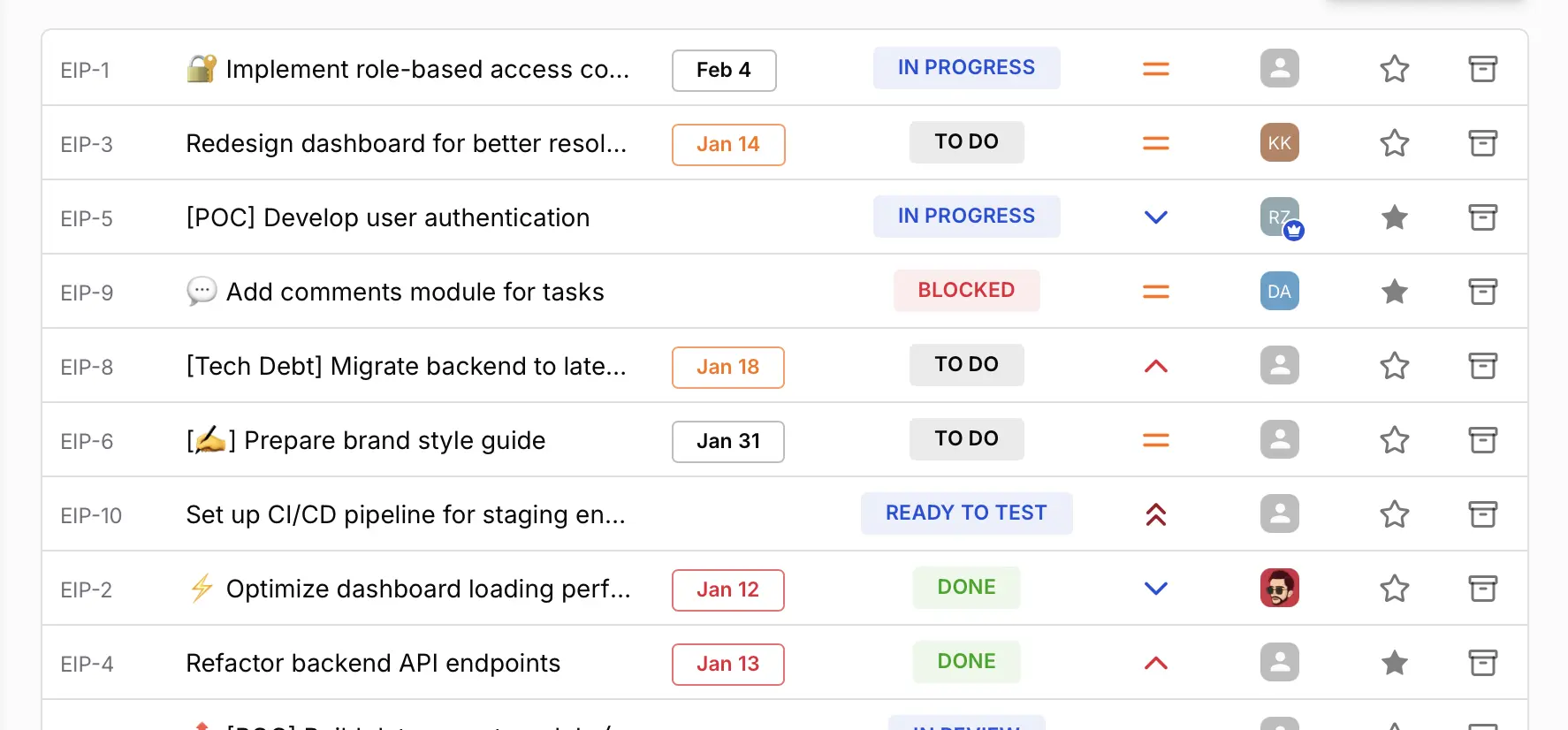
Complete task lifecycle from creation to completion with status tracking, priorities, assignments, and real-time updates across all team members.

Time Tracking & Timesheets
Track time spent on tasks with weekly timesheets. Submit for manager approval, get email notifications, and maintain accurate billing records with automated locking. Available on Standard and Premium plans.
Team Collaboration
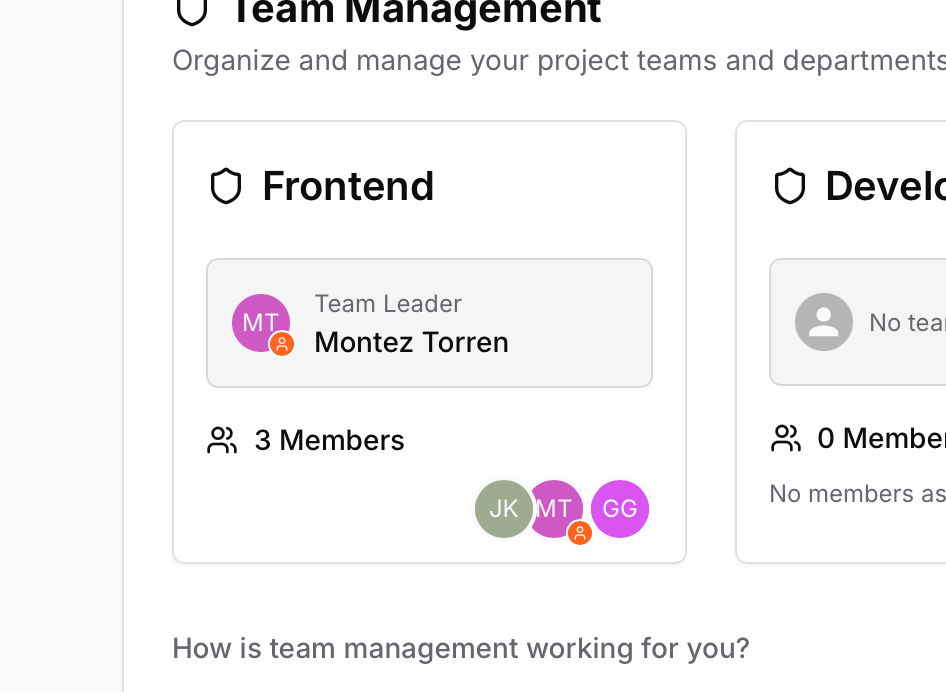
Organize teams with leaders, assign multiple teams to tasks, and track workload distribution across your entire organization.
Real-Time Notifications
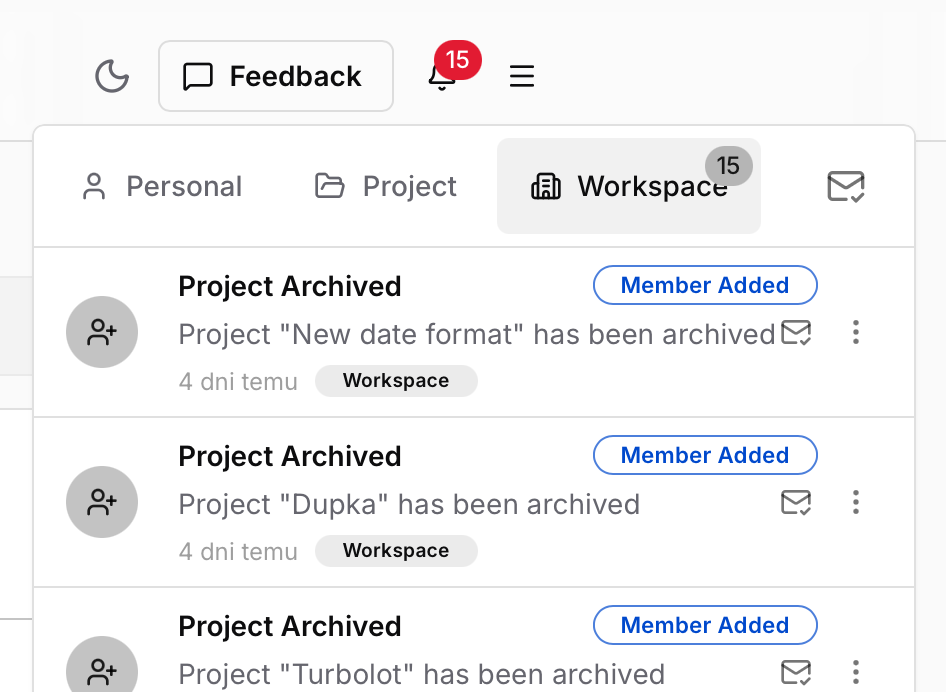
Multi-tier notification system with personal, project, and workspace-wide alerts. Stay informed about task updates, mentions, deadlines, and timesheet approvals instantly.
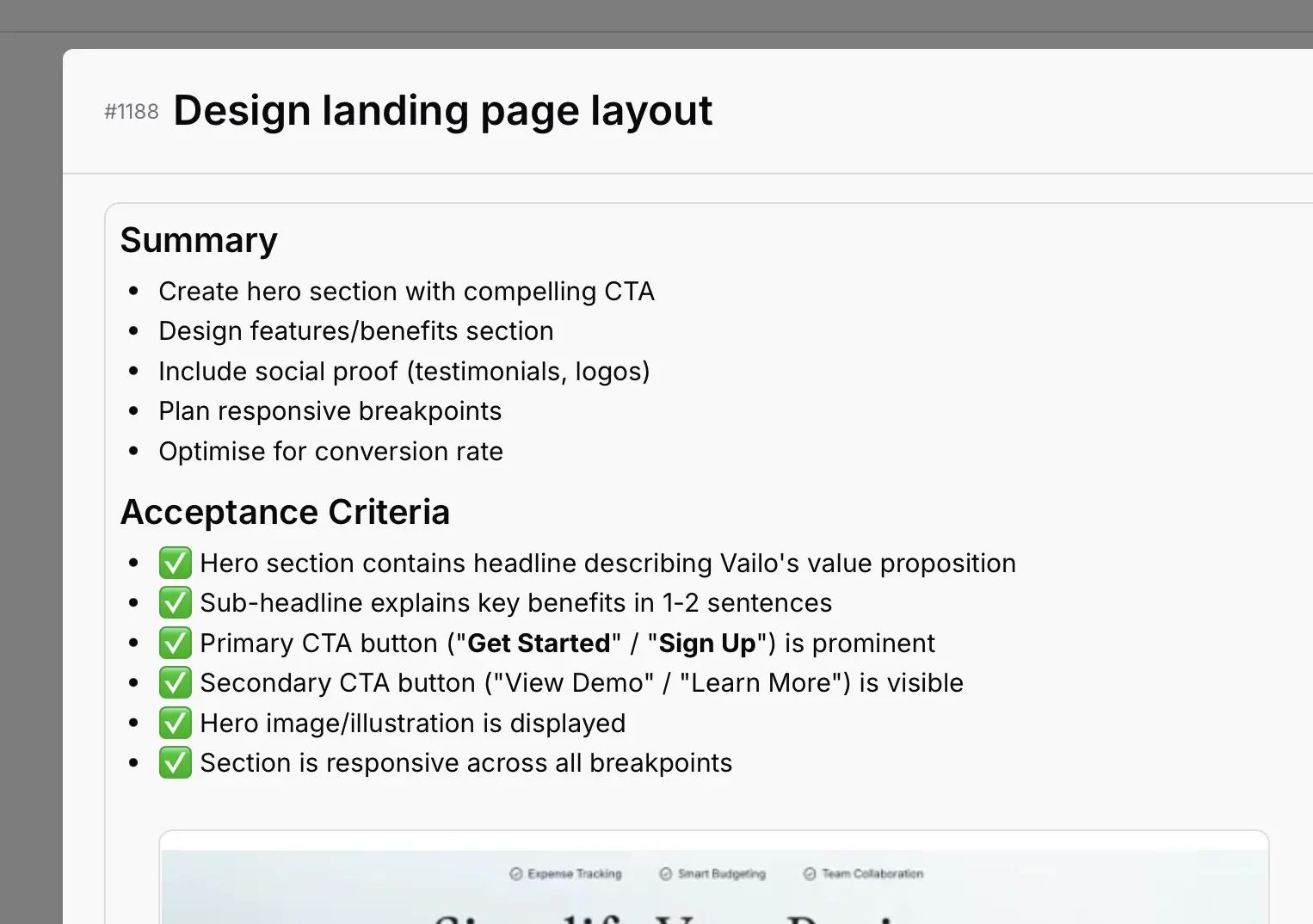
Rich Task Descriptions
Create detailed task descriptions with rich text formatting, embedded images, code blocks, and lists. Paste screenshots directly from clipboard for instant visual context.
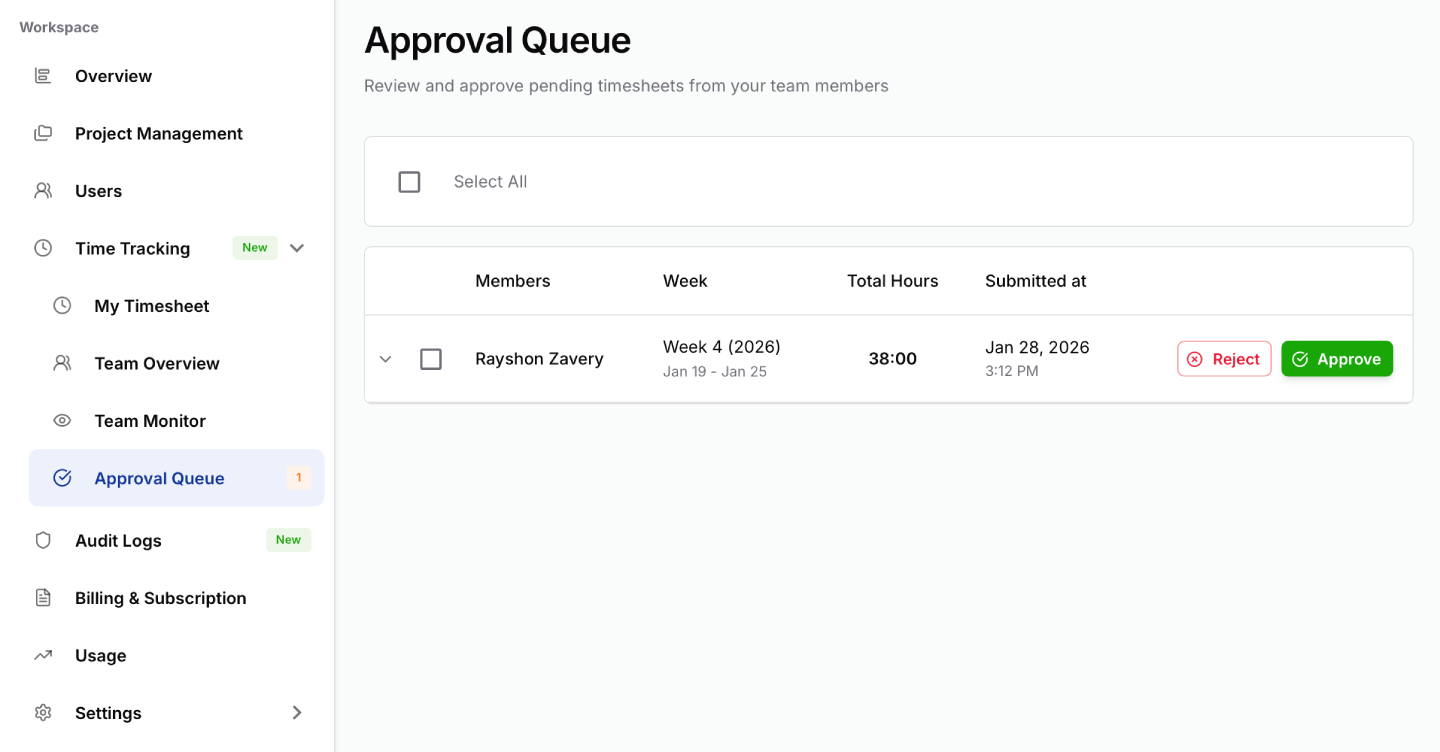
Manager Approval Workflow
Streamlined timesheet approval with dedicated queue, email notifications, approve/reject actions with notes, and automatic entry locking to maintain data integrity. Available on Standard and Premium plans.
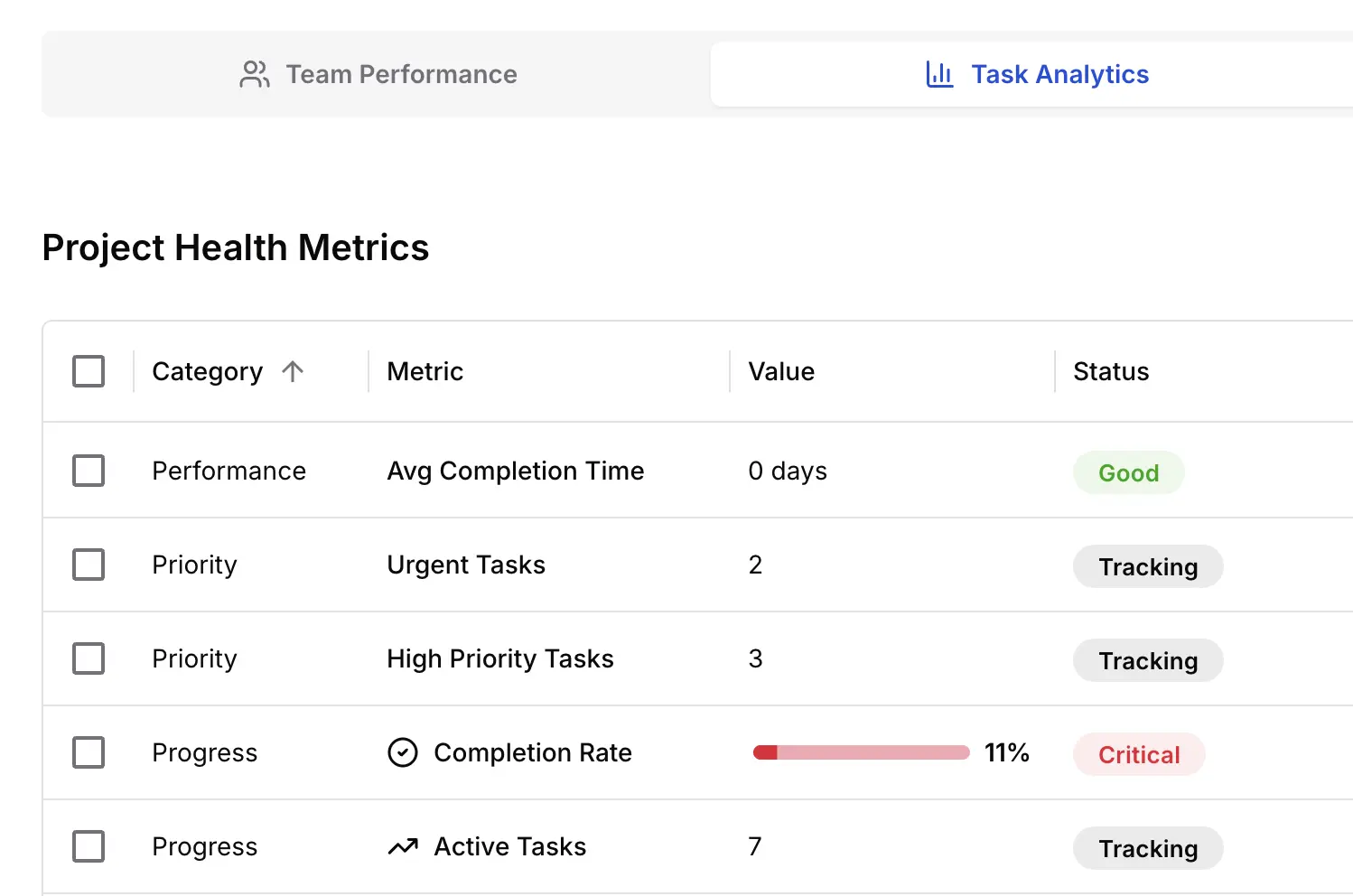
Reports & Analytics
Comprehensive reports with team performance metrics, task analytics, and workload analysis. Standard and Premium plans include time tracking insights and visual charts. Export to PDF or CSV.

Deadline Reminders
Automatic deadline monitoring with smart notifications. Get reminded 24 hours before deadlines to ensure nothing falls through the cracks.
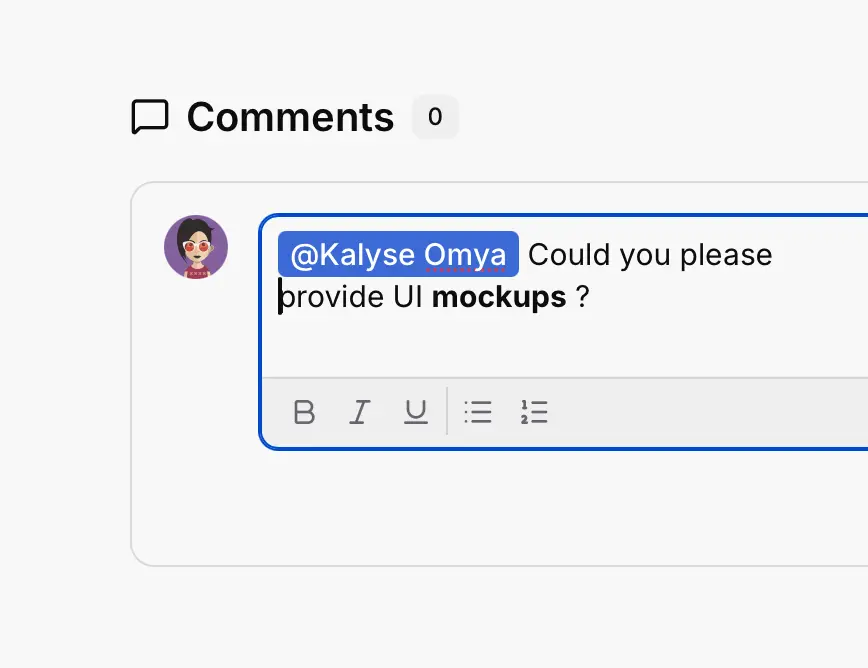
Task Comments & Collaboration
Engage in threaded discussions with your team directly on tasks. Rich text formatting, @mentions, edit history, and real-time updates keep everyone aligned.
Roadmap
Coming soon to enhance your workflow
Check our full
Product RoadmapDrag & Drop Board View
Intuitive drag-and-drop interface for seamless task reordering and status changes with real-time synchronization across your team.
Time-Off Management
Request and manage time off with automatic task reassignment to keep projects moving. Managers approve requests with calendar visualization and team availability tracking.
Internal Chat System
Real-time workspace messaging integrated with task context, enabling instant team collaboration without switching to external communication tools.
HR Core Features
Light recruiting (roles, simple pipeline, notes), onboarding checklists, privacy‑aware access.
AI-Powered Data Import & Migration
Seamlessly import and migrate data from various sources using AI-powered tools, ensuring data integrity and minimizing manual effort.
AI-Powered Project Management
Leverage AI to optimize project planning, resource allocation, and task prioritization, ensuring efficient project execution and improved team productivity.
Frequently Asked Questions
Everything you need to know about Vailo. Can`t find the answer you`re looking for? Contact our support team.
Time tracking is available on Standard and Premium plans. Workers log task-based time entries and submit weekly timesheets to managers for approval. Managers receive email notifications and can approve/reject from the approval queue. Upon approval, entries are automatically locked. Premium includes advanced analytics like overtime tracking and team utilization reports.
Workers log time entries throughout the week and submit their timesheet to managers for approval. Managers receive email notifications and can approve or reject from the approval queue. Upon approval, all entries are automatically locked to prevent changes, ensuring data integrity.
Yes! You can invite team members based on your plan: Free plan supports up to 10 users, while Standard and Premium plans offer unlimited users. You can easily invite colleagues, assign roles (Worker/Manager), and manage permissions from your workspace settings.
No, each user can only be part of one workspace at a time. If you receive an invitation to a different workspace while already registered, you would need to be removed from your current workspace first. This ensures clear workspace boundaries and data security.
After the 30-day trial period, your workspace will automatically transition to our Free plan. You can upgrade to Standard or Premium at any time to unlock additional features like manager approval workflows, advanced reports, and priority support.
Absolutely. We take security seriously with GDPR compliance and industry-standard encryption. All data is encrypted in transit (TLS 1.3) and at rest in Firebase Cloud Firestore. We run on Google Cloud Platform infrastructure with automatic backups and regular security updates.
We are currently developing import tools for popular platforms. In the meantime, our support team can help you manually migrate your data and provide guidance on best practices for setting up your workspace.
Free plan users have access to our knowledge base and community forum. Standard and Premium users get email support, while Premium subscribers also receive priority support with faster response times.
Yes, you can cancel your subscription at any time with no penalties. Your workspace will continue working until the end of your billing period, then transition to the Free plan.
Yes! For larger organizations with specific needs, we offer custom Enterprise plans with dedicated support, advanced security features, and custom integrations. Contact our sales team for more information.
Ready to Transform Your Workflow?
Join thousands of teams already using Vailo. Start your free trial today - no credit card required.
30 days free trial
No credit card needed
Cancel anytime